Case Study - 2020
HP Global Design System
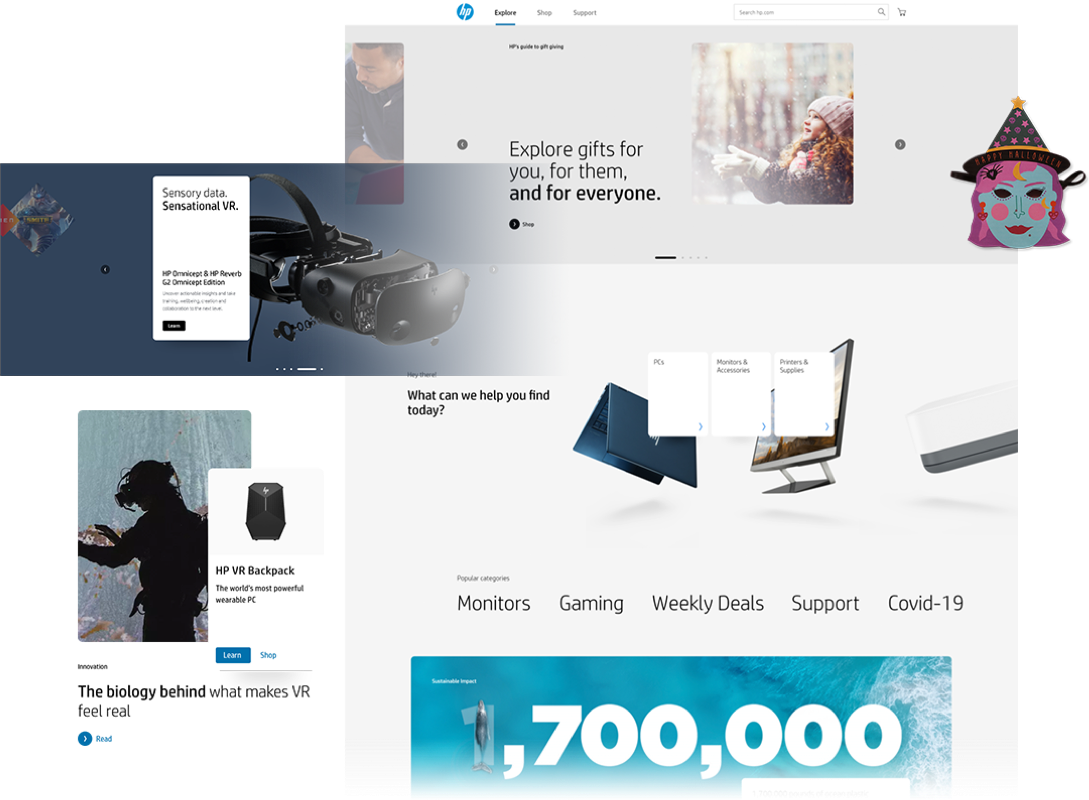
Design consistency and speed to market are key to the HP corporation. But this is lacking within the HP.com engagement team. I led the creation and maintenance of the HP design system that allows our designers, developers, and marketers to collaborate better and our content authors to publish pages faster and easier.
MY ROLE
Lead Product Designer
User research, design, animation, documentation, testing, QA, design system publishment
THE TEAM
Megan Cannizzaro - Global User Experience Manager
Kim Ponto - Global Creative Studio Lead
Dylan Smith - Technology Transformation Leader
Ben Newman - Technical Lead
Carlos Lopez Rocha - Platform Business Analyst
THE PROBLEM
The lifecycle of a webpage’s creation begins with page design, then handoff to developers, then to the content authors to load in the correct contents and finally publish. However, multiple teams publishing webpages to the hp.com domain had created inconsistency in user experience. On top of that, HP wasn't able to ensure speed to market for their products. Thus, HP is losing user satisfaction and wasting budget on the extensive website creation process.
It was difficult to keep track of all the design styles created for different campaign pages, product pages, and service detail pages for HP by different creative teams internally and external partners around the world. Design teams and third party agencies work in a silo and don't have visibility into each other’s work until it’s published to the site. Webpage development also works in a silo, so teams would publish websites that were built using different coding languages.
These issues had all been in the HP.com engagement team’s backlog, as marketers would come to the engagement team asking for similar page content but wanted to stand out against the HP.com domain. Internally, this had caused HP.com to look disconnected visually, and we don't have a centralized process to publish web pages in a speedy and organized manner. Externally, we are forcing users to adapt and learn how content was laid out across different pages as they navigate through the HP domain.
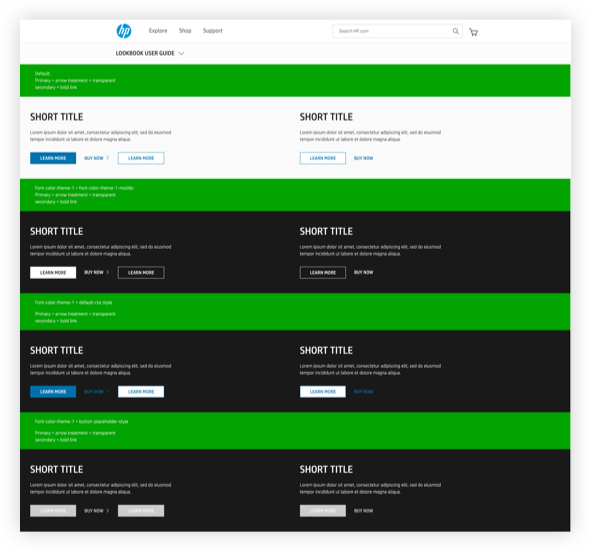
STYLE LOOKBOOK:
Pros: Seeing different states of each module in a live environment view.
Cons: Difficult to manage and update
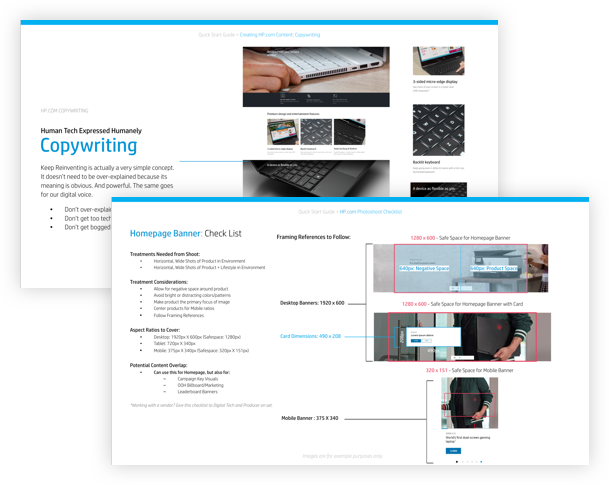
CONTENT AND PHOTOGRAPHY GUIDELINES
Pros: Great information for art directors and copywriters.
Cons: No guidelines on module behaviors and page structure.
Creating an enterprise design system
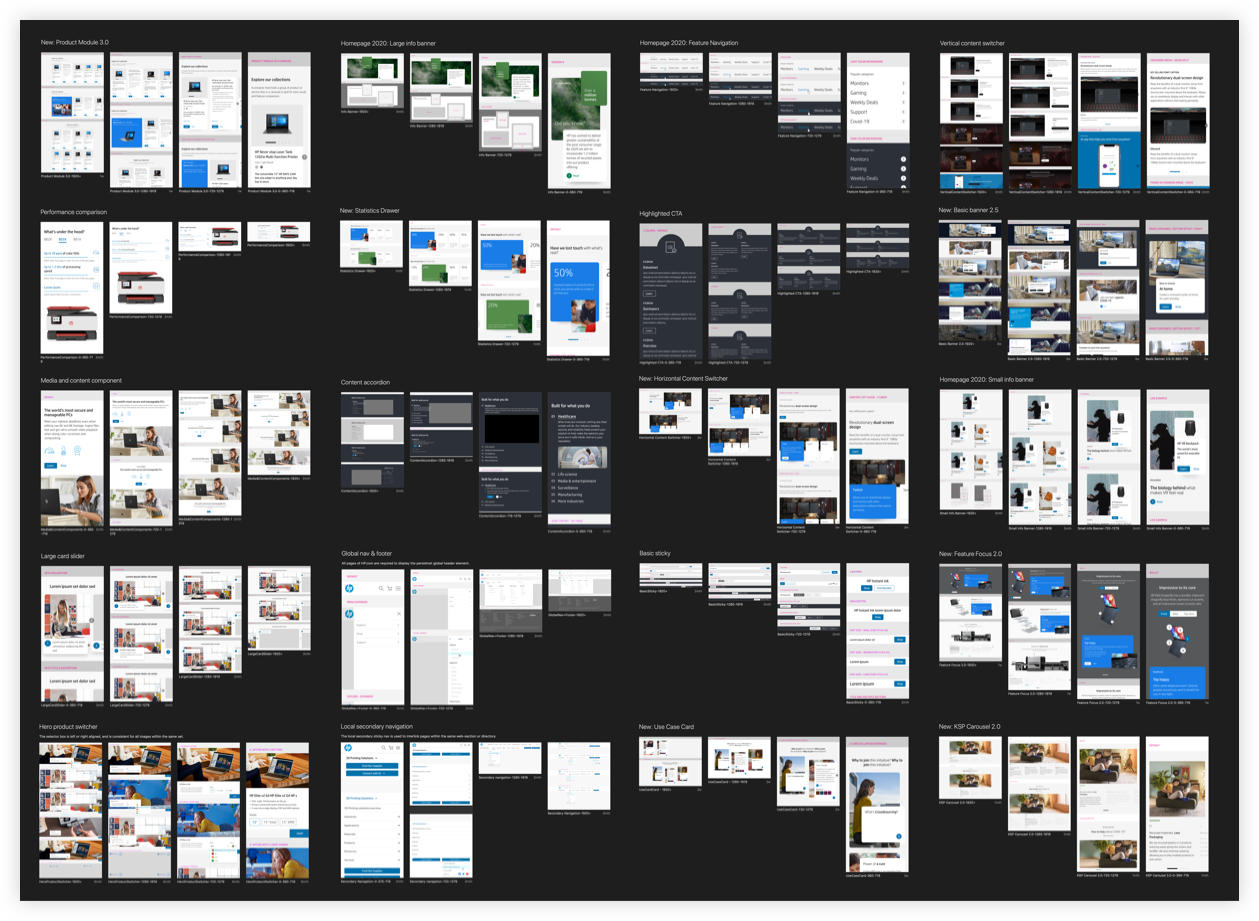
The core value of this design system was to centralize the design styles and speed up web page development time. The HP stakeholders have approved this team to carry out the design system globally. This allowed me to design and test each reusable module, write up business requirements for each module for AEM development, and document each module in a live design system page that is available to all internal and external parties.
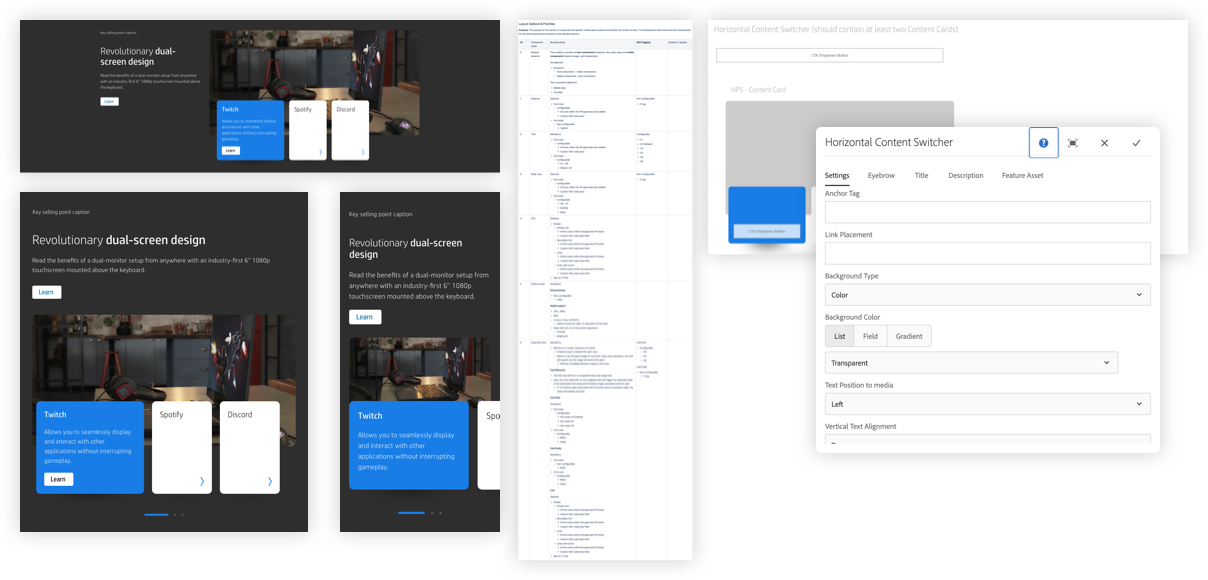
From creating the interaction, design, micro-animations, documentation, backend requirements, and QA.
Since the modules were created with CMS in mind, the development team was able to create the modules in AEM for reusable purposes with the help of business requirements for each module. Previously, the developer would have to write new codes for all updates and releases — this had caused delays in speed to market. Building out modules in AEM with the flexibility of different layouts allowed easy content publishing and design consistency.
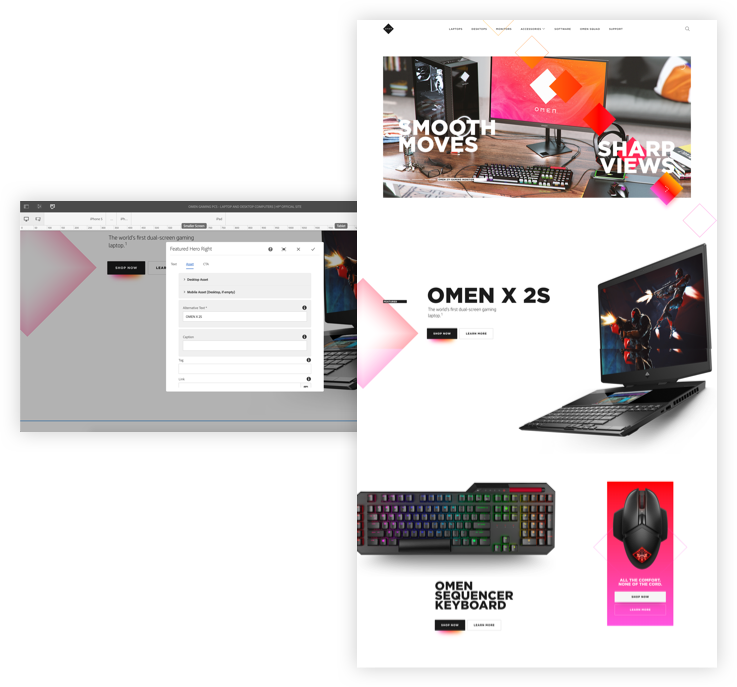
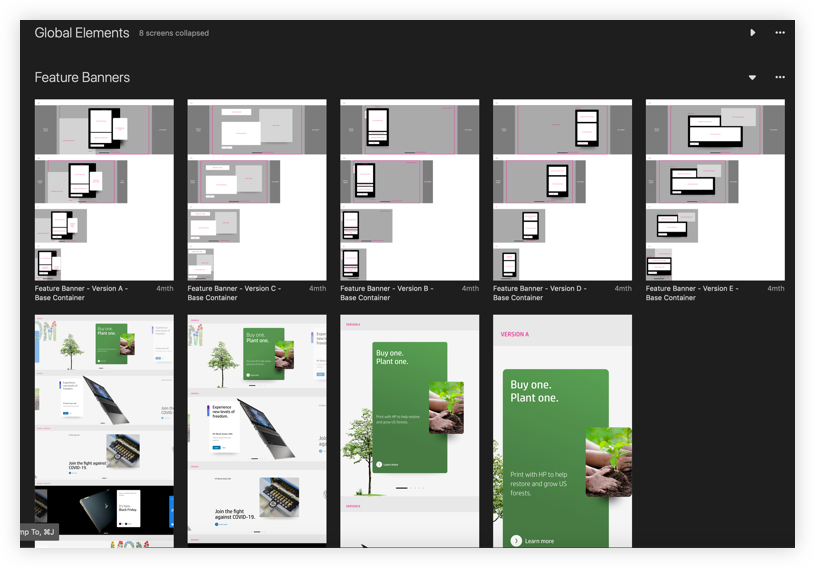
I supplied the mockups of all the possible layouts within a module, written documentation of the business requirements, animation, and AEM authoring dialogue to kick off the development process. This had later become the work process for junior designers to follow coming into this project.
This was by far one enormous challenge for the team and me, which was to have centralized documentation of all the ready-to-use modules, how to use it, where to download proper files, view responsive behavior, type of media assets to use, and type of content to use. One, in particular, was how can we make sure that the different types of internal and external audiences can quickly get the information they need. To combat this, we sold the stakeholder the idea of a public HP design system site that we will maintain and update. I ensured that cross-team communication happened on a daily basis. That way I was able to publish new modules available to use or take down any modules that are during the dev maintenance process.
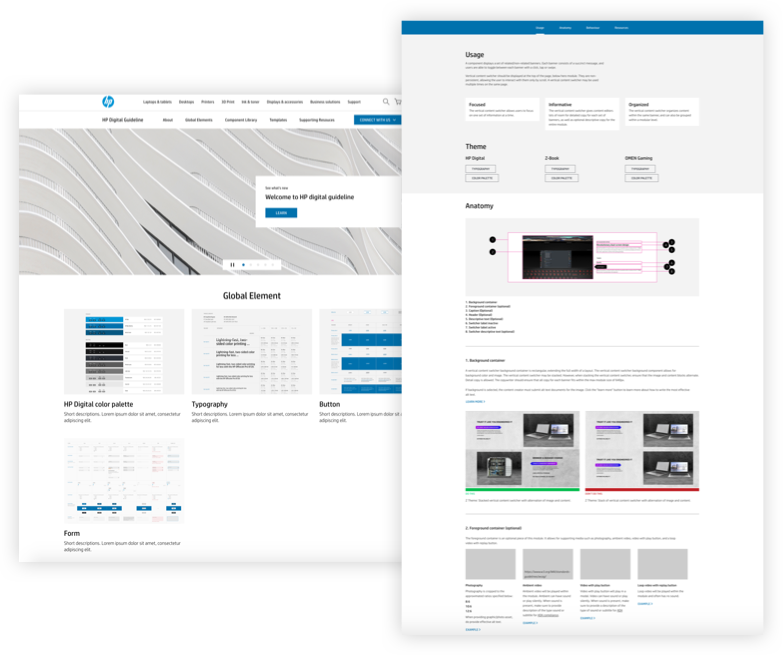
Vision — HP Design System as an expansion, not a contraction
TALKING TO THE USERS
I have done periodic user study with the internal HP workers and third party agencies on how they use the systems. Designers and copywriters find the design system easy to pick up and able to cut down design time by as much as 50%. However, for pages that require more customization, they find the design system limiting due to the limited layout options on certain modules. Content authors find the AEM backend dialogue easy to use, and able to publish a page at ease. But we did discover that sometimes the required fields within the dialogue would be confusing. They didn’t know which fields were required and which were not. As a result, it is important for the product designer to consistently sit down with the users of the design system to improve upon it.
- Limited customization
- More documentation of the versions
- Differeicate required vs optional authoring dialogue field
- Straightforward error message
Continue Exploration and Iteration
After the launch of the initial design system and having the chance to allow multiple teams to get their hands on it. I explored that many different modules can be improved in terms of UX: Click state might be too small on mobile, font styles might throw off typography hierarchy when a certain module was intended to be used above the fold but instead, the designer wanted to use it below the fold. I also explored different color combinations and how they may affect ADA compliance. As part of my process, I detailed out every single step I took and weighed the pros and cons of each.
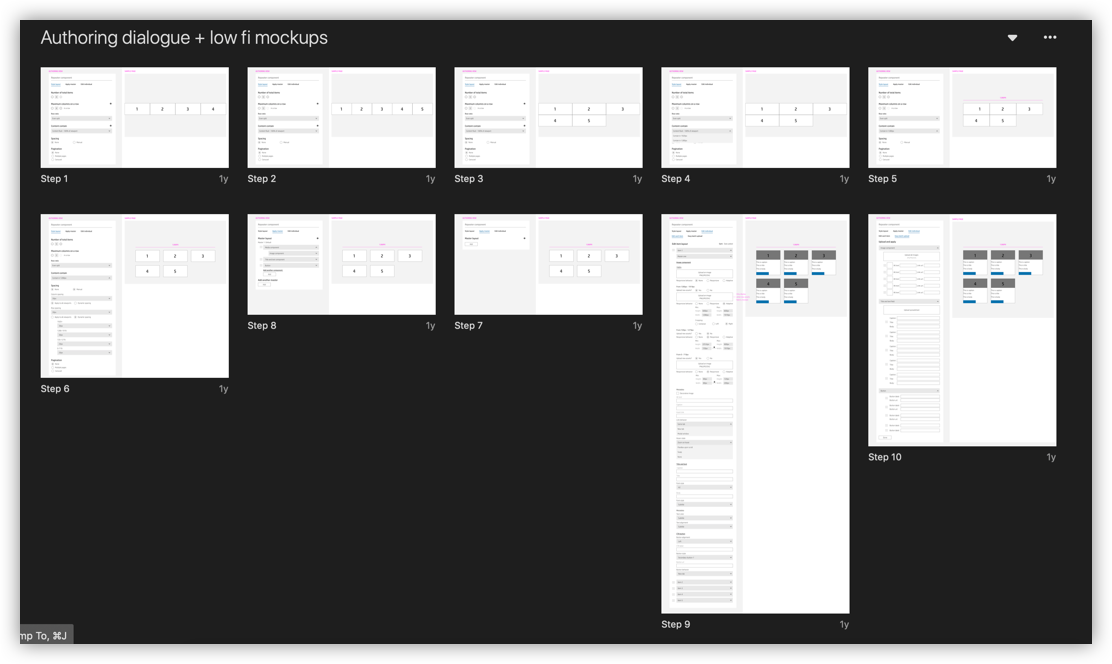
Design Framework
Throughout the project, different requirements trickled from the stakeholders and marketers, and new dev constraints were uncovered. Early on, I learned that this will need to be a continuous process to ensure that the design system is being taken seriously for future works. Therefore, I decided to streamline the workflow and email out the latest updates at the end of every week to the HP creative team. I made sure to publish all the latest available working files to download, ensuring that updates were synced throughout the different platforms.
OUTCOME
This was a really rewarding project for me as it provides real value to me as a designer, and problem solver involved a ton of research, detailed documentation, UI, and backend dialogue of the module. Even though this project is still ongoing, and I still have a lot to learn. Still, I’m able to say I’m proud of the work I’ve done for HP. The design system had helped cut the project budget by more than 30% on average, helped to speed up the speed to market speed by nearly 50%. On top of that, the creative team was able to increase project intake by almost double.